

Description


Price: $129.00 – $109.99
Details)
Product description


Initial Setup Process
Start Setup Wizard
Press the OK button to begin the setup when you first turn on the TV.
Select Country/Region
Use the Up / down directional buttons to choose your country or region → Press OK to confirm.
Connect Devices
Use the Up / down, left / right buttons to select connected devices (e.g., antenna, HDMI) → Press OK to start signal setup.
Auto-Scan Channels
Choose your signal source (e.g., antenna) → Press Next to auto-scan for available channels.

Terms & Account Setup
Agree to Terms & Privacy Policy
Press OK to accept the Terms & Conditions and Privacy Notice.
Samsung Account Login (Optional)
Select Sign in to Samsung Account to log in or Skip to proceed without it.
Note: A Samsung account is required for advanced features (log in via mobile or PC).
Choose TV Signal Source
Use directional buttons to select your input source (e.g., cable, HDMI) → Press OK to confirm.

Home Screen Navigation
After setup, access the Home Screen to explore recommended content.
Privacy Settings
Go to Privacy Choices → Press OK to:
Review Privacy Policy and Terms & Conditions.
Manage data preferences (e.g., ad personalization).
Search Function
Select Search → Press OK to find channels, programs, movies, or apps (requires internet).
Link Favorite Services
Use directional buttons to choose services (e.g., Netflix, YouTube) → Press OK to sign up/log in via mobile or PC.

Basic Navigation:
Directional Buttons (Up / down, left / right): Navigate menus.
OK Button: Confirm selections or proceed.
Back/Return Button: Return to the previous menu.
Important Notes:
An internet connection is required for smart features (e.g., app store).
Important Note: When activating the TV for the first time, a Samsung account is required.If you don’t have a Samsung account, please register one from Samsung official website.This TV is not Samsung TV, but used Samsung’s operaiting system.If there are any problems with the Setup Wizard process, you can contact us. We will provide online or telephone technical support.thank you.
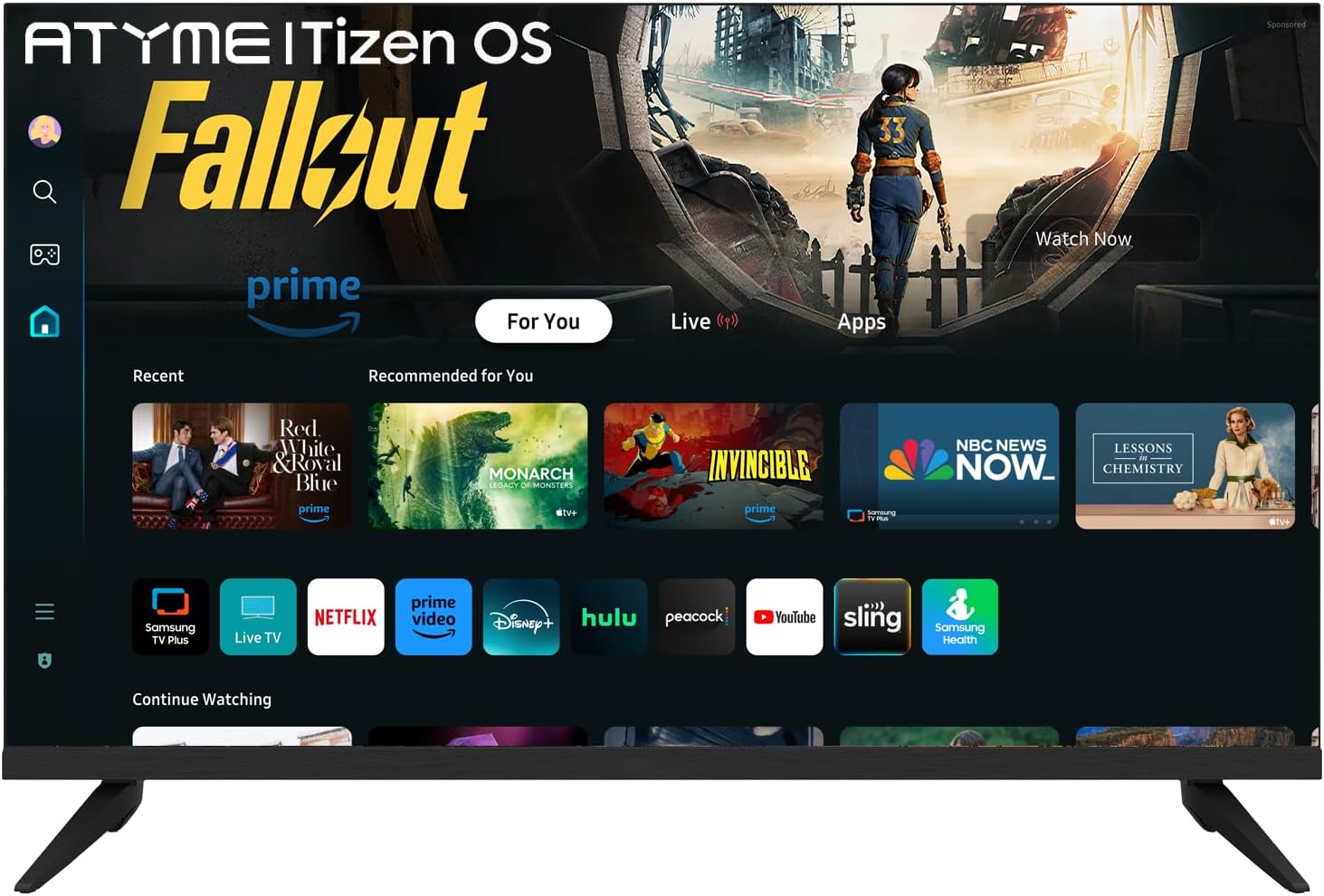
Tizen OS: The Tizen OS is built in the smart TV, Enjoy a sleek and intuitive interface and make finding your favorite content a breeze. With Tizen OS, you get quick access to popular streaming services like Youtube、Netflix、Disney+、hulu.
Easy-access buttons. Instantly access Netflix, Amazon Prime and Disney+ with dedicated buttons on the remote control.
Samsung TV Plus: Primarily offers free live TV channels, covering various genres such as news, sports, entertainment, music, and family – friendly content. It’s a completely free streaming service.There are no subscription fees involved, and you don’t have to input your credit card details.
Samsung App store. Seamlessly download all your favourite apps from the Samsung App store, putting endless entertainment at your fingertips.
Impressive 720p Resolution, The combination of 720p resolution and HDR10 provides crisp images, vibrant colors, and enhanced contrast, delivering a truly immersive and captivating viewing experience.
High-Dynamic Range. Brighter highlights, better contrast and more realistic colours.
Reviewer: Stephen E. Sparks
Rating: 5.0 out of 5 stars
Title: Nighty Lighty to Brighty
Review: The TV Is OK – The blacks aren’t real black but for a bedroom little TV it OK. I’m not a fan of the night lite, it’s really bright for a bedroom. I used painters tape to dim down the night lite, actually it took several layers. I tried some black duct tape but not was so black the remote wouldn’t work. It’s a good buy at this price.
Reviewer: Barbara Harris
Rating: 5.0 out of 5 stars
Title: Great buy for quality!
Review: Great picture!
Reviewer: Nancy Coffman
Rating: 1.0 out of 5 stars
Title: Poor picture and sound wualty
Review: Threethe picture were very poor almost pixelated and the sound extremely poor.
Reviewer: K. L. Mcphail
Rating: 4.0 out of 5 stars
Title: Glade I bought this Tv,for about $150.00, other wise the Tariffs $210.00 because of TrumpTariffs
Review: Nice TV, for the price, the other TV went on the blink, had over 26 years.
Reviewer: Dcaba
Rating: 3.0 out of 5 stars
Title: No download for spectrum app
Review: Had to return this because you could not download the charter app
Reviewer: Ashekia Walker
Rating: 5.0 out of 5 stars
Title: Worth the purchase
Review: Sound and quality great picture perfect also
Reviewer: LLM
Rating: 2.0 out of 5 stars
Title: look elsewhere
Review: Wow… what can I say…. It is a TV and it runs Samsung’s software…. But you get what you pay for….. Picture is mediocre, software is slow…… It is sitting out in a covered lanai and is almost unwatchable during the day because of lack of brightness and resolution…… Sound is mediocre…. You get what you pay for………
Reviewer: Janice
Rating: 5.0 out of 5 stars
Title: Nice clear picture!
Review: This tv is very light and is easy to use. The size is good too. I thought it was a Samsung tv when I purchased it so I was disappointed to find it wasn’t. I cannot download the Spectrum app but other than that it has been a good TV. The picture quality is excellent. It comes with a remote control that’s easy to use.


